 Chasen
If you've ever built a data pipeline, you know the drill. You write the SQL. Then you write the scheduler. Then you write the dependency logic. Then you wire up alerts for when things break. Before long, half your time is spent maintaining the plumbing instead of actually working with data.
We built Task Flow to fix that.
What Is Task Flow?
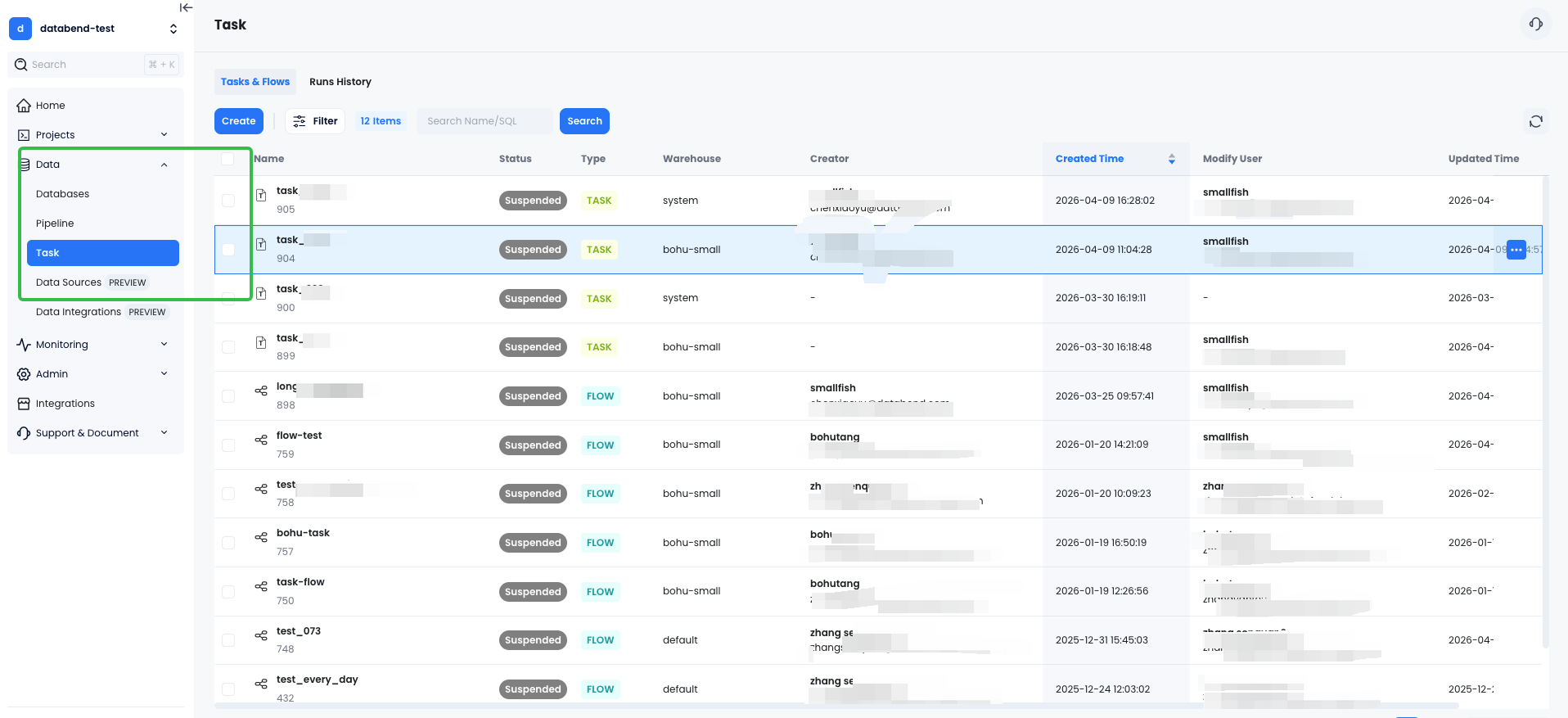
Task Flow is Databend Cloud's native workflow orchestration feature. It lets you define multi-step SQL workflows as visual graphs, schedule them, monitor their execution, and roll back changes — all inside the same platform where your data already lives.
No YAML files to maintain. No extra services to deploy. Just SQL and a visual editor.
How Task Flow Works
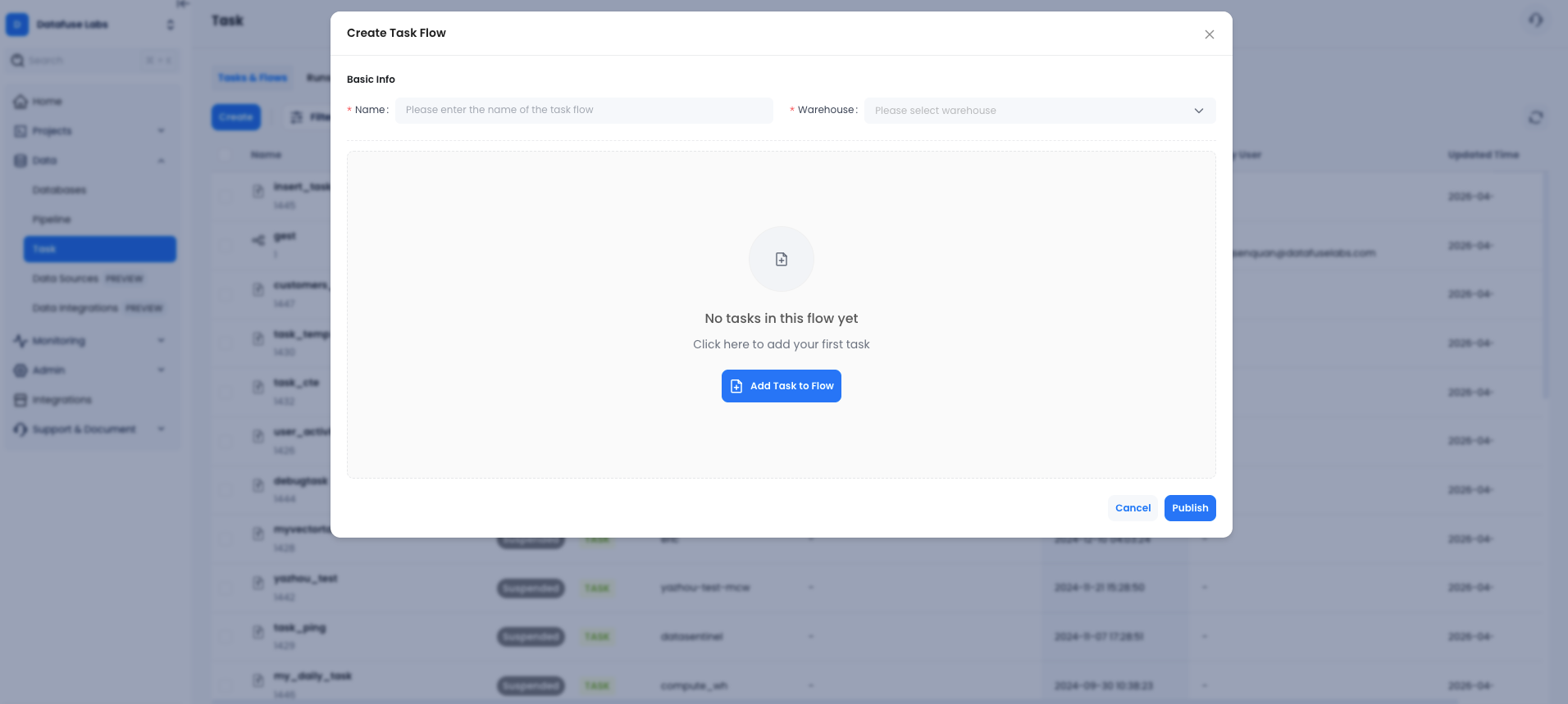
The core idea is simple. You have Tasks — individual SQL statements with a schedule. You group them into a Flow — a named pipeline with a warehouse assigned to it. You define which tasks depend on which, and Databend Cloud handles the rest.
Build Pipelines Visually
When you create a flow, you get a drag-and-drop graph editor. Add tasks, connect them with dependency arrows, and publish. The system automatically figures out execution order.
Each task can have:
- Its own schedule (manual, interval, or cron with timezone)
- Dependencies on other tasks
- Stream-based triggers (only run when new CDC data arrives)
- Failure thresholds (auto-suspend after N failures)
See What's Happening in Real Time
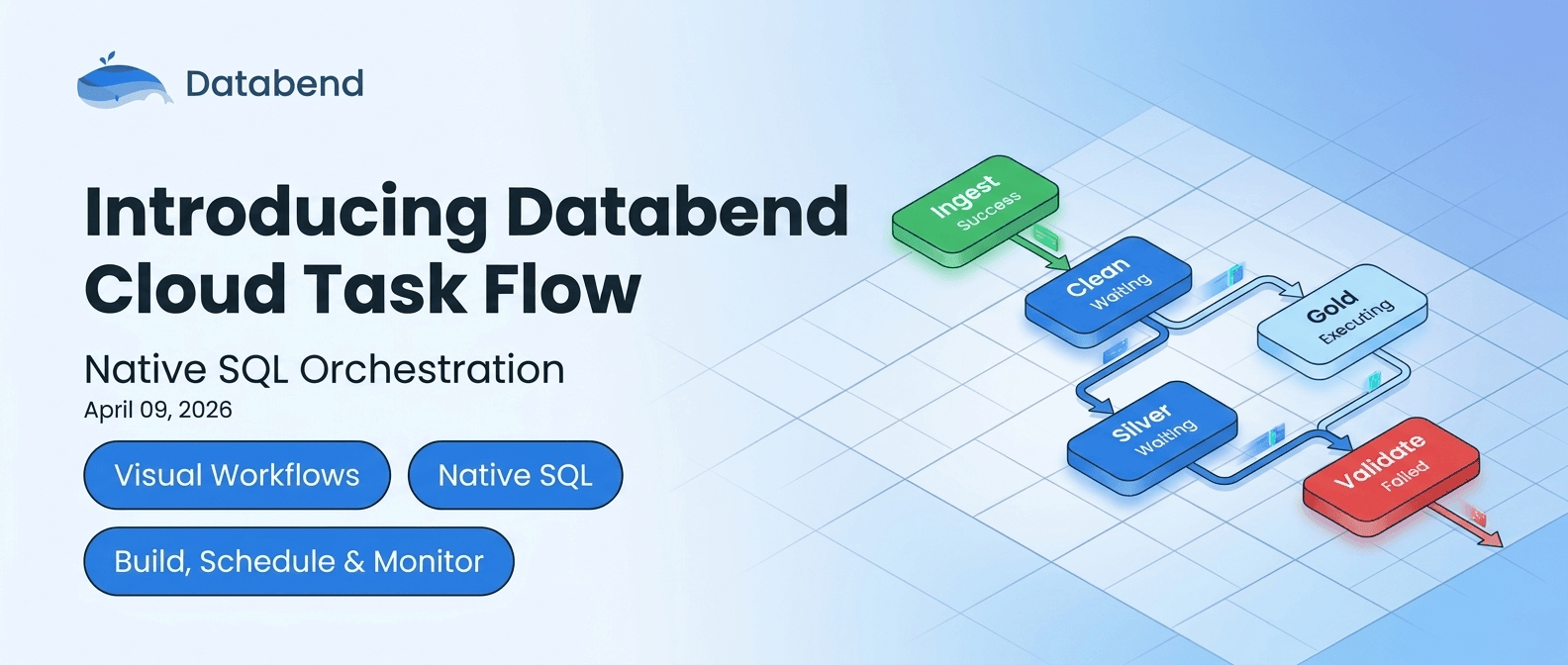
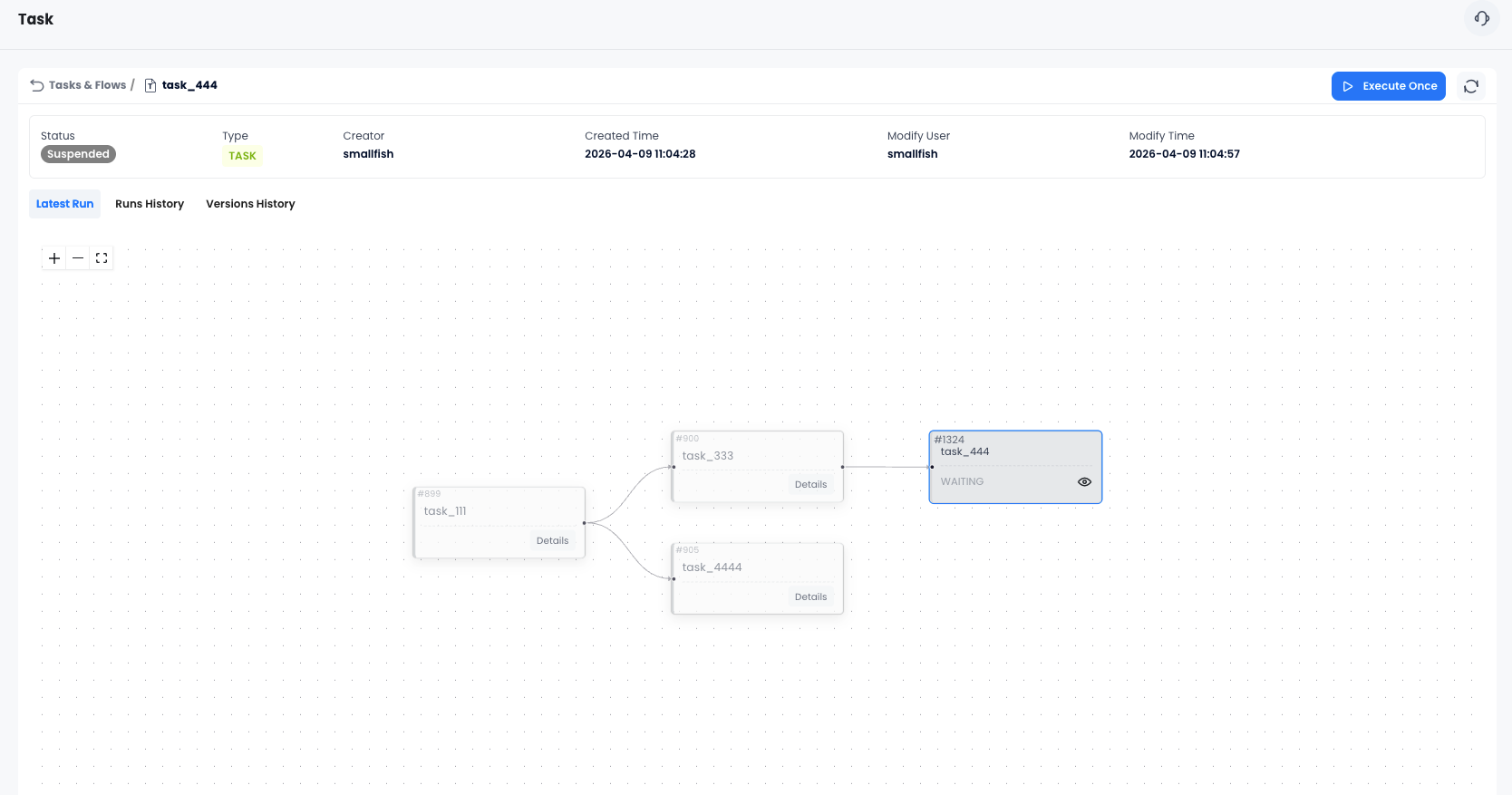
The flow details page shows a live DAG with color-coded status for every node:
- 🟢 Green — succeeded
- 🔴 Red — failed (with error details on hover)
- 🔵 Blue — scheduled / waiting
- ⚡ Light blue — currently executing
You can see at a glance which step in your pipeline is running, which succeeded, and exactly where something broke.
Never Lose a Working Version
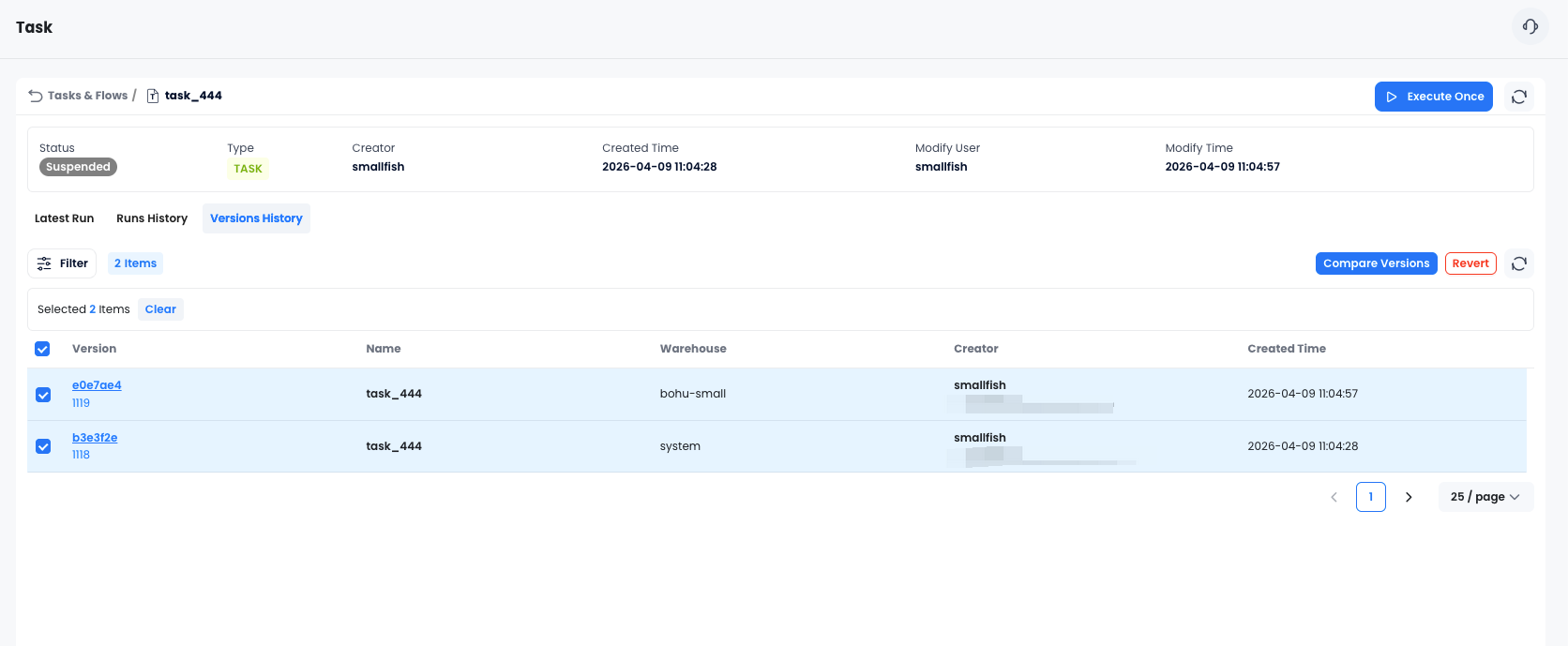
Every time you publish changes to a flow, Databend Cloud saves a version snapshot. If a change breaks something, you can:
- Browse the version history
- Compare any two versions side by side (SQL diff)
- Revert to a previous version in one click
This is the kind of safety net that usually requires a separate version control workflow. Here it's built in.
Real-World Use Cases
Incremental Data Ingestion
Use stream-based triggers to build CDC pipelines. A task watches a stream on your source table — when new rows arrive, the task fires automatically and merges them into your target table. No polling, no wasted compute.
Layered Transformations
Chain tasks together to build a classic medallion architecture:
raw_ingest → bronze_clean → silver_transform → gold_aggregate
Each layer only runs after the previous one succeeds. If
bronze_clean
silver_transform
Scheduled Reporting
Set up a flow that runs every morning at 8am: refresh your materialized views, update your summary tables, then trigger your BI tool's cache refresh. One flow, zero manual steps.
Data Quality Checks
Add a validation task at the end of your pipeline. If row counts look wrong or null rates spike, the task fails and the flow suspends — alerting you before bad data reaches your dashboards.
What Makes This Different
A few things set Task Flow apart from bolting on an external orchestrator:
It runs where your data is. Tasks execute directly on your Databend warehouse. No data leaves the platform, no network hops, no serialization overhead.
Stream triggers are first-class. Most orchestrators treat CDC as an afterthought. In Task Flow, you can make any task conditional on a stream having unconsumed data — making event-driven pipelines as easy as scheduled ones.
Version control is automatic. You don't have to think about it. Every publish creates a snapshot. Compare, revert, done.
Permissions are inherited. Task Flow uses the same role system as the rest of Databend Cloud. Admins can manage any flow; creators manage their own. No separate permission model to configure.
Getting Started
Task Flow is available now in Databend Cloud. To try it:
- Log in to Databend Cloud
- Navigate to Data → Task & Flows
- Click Create and build your first flow
The full documentation covers every option in detail, including scheduling syntax, stream triggers, and version management.
Data pipelines shouldn't require a second job to maintain. Task Flow is our answer to that — orchestration that lives where your data already is, with the visual tools and safety nets that make it actually pleasant to use.
Give it a try and let us know what you think on Slack or GitHub.
Ready to try Task Flow?
Get started in minutes with Databend Cloud—the agent-ready data warehouse for analytics, search, AI, and Python Sandbox—and receive $200 in free credits.
Subscribe to our newsletter
Stay informed on feature releases, product roadmap, support, and cloud offerings!