
Introducing Data Integration on Databend Cloud: Real-Time MySQL Sync and S3 Ingestion — No Code Required
 DatabendLabsMar 10, 2026View Markdown

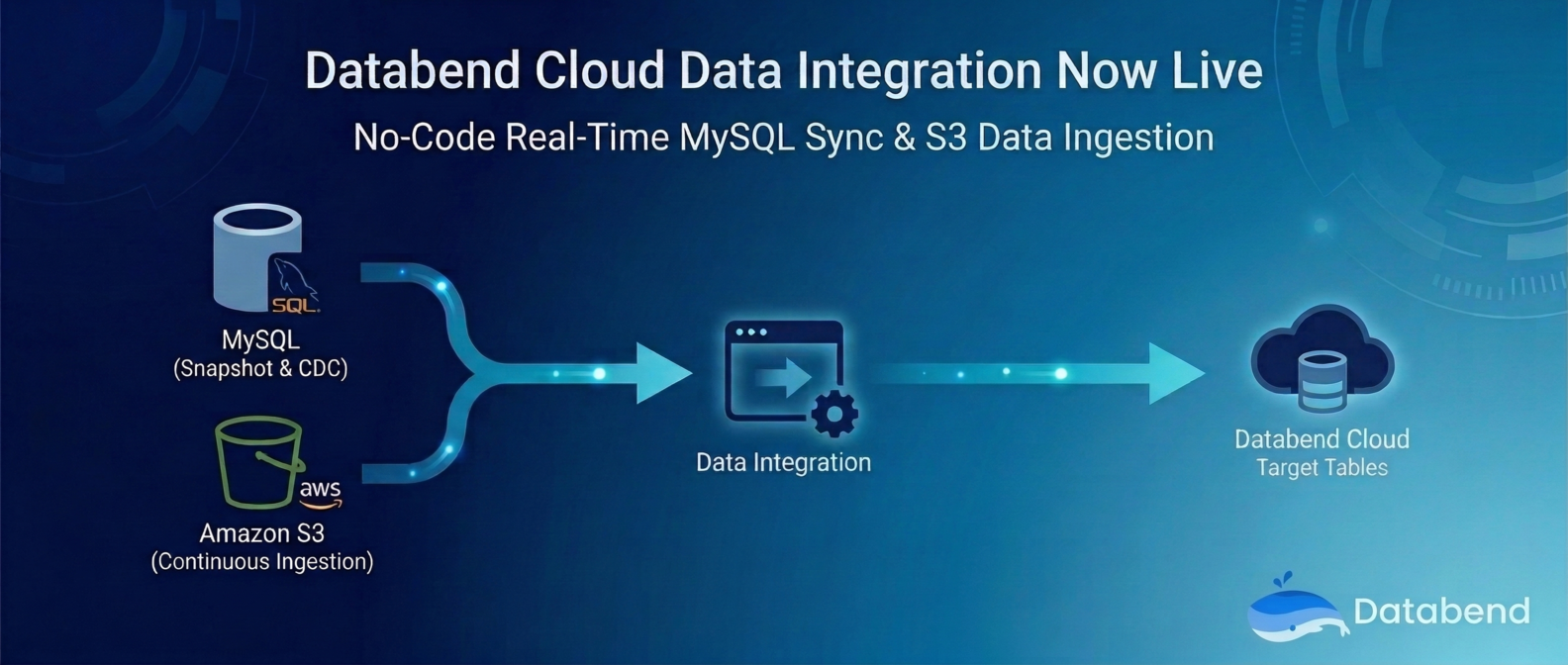
Data integration has always been the heaviest lift in building a data platform. Setting up Flink, configuring Debezium, writing COPY scripts, wrangling cron jobs — it's tedious, error-prone, and expensive to maintain.
Today, we're excited to announce that Databend Cloud now includes a built-in Data Integration module. It provides a visual, out-of-the-box data integration experience with support for MySQL and Amazon S3 as data sources — covering everything from full snapshots to real-time CDC. No code needed, and setup takes just minutes.
Why Data Integration?
In a traditional data ingestion workflow, teams typically need to:
- Deploy and maintain CDC tools (Debezium, Flink CDC, Canal, etc.)
- Write and debug data loading scripts (COPY INTO, Stage configs, etc.)
- Handle schema mapping, type conversion, and error retries
- Build monitoring systems to track sync status
These steps consume significant engineering resources and often lead to data inconsistencies in production.
The goal of Databend Cloud Data Integration is simple: absorb all that complexity into the platform so you only need to think about where your data comes from and where it needs to go.
Architecture: Data Sources + Integration Tasks
Data Integration is built on a two-layer abstraction:
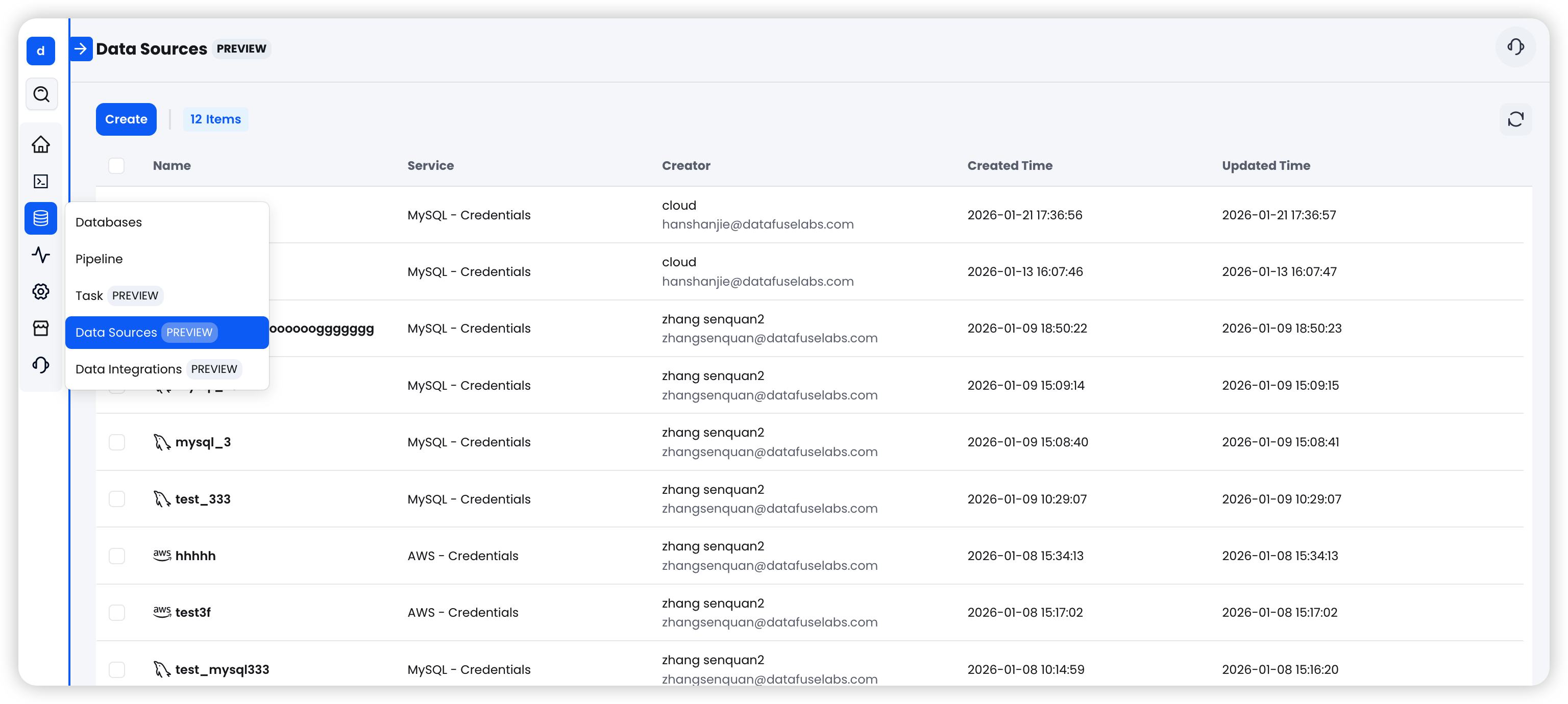
- Data Source: Stores connection credentials and configuration for external systems. Reusable across tasks. Currently supports MySQL and AWS S3.
- Integration Task: Defines how data flows from source to destination, including sync mode, target table mapping, and runtime parameters.
This decoupled design means a single data source can be shared across multiple tasks, making management more flexible.
MySQL Integration: Snapshots to Real-Time CDC, All in One Place
MySQL is one of the most widely used transactional databases. Data Integration offers three sync modes to cover different use cases:
Three Sync Modes
| Mode | Best For | Behavior |
|---|---|---|
| Snapshot | Initial data migration, periodic full refreshes | Performs a one-time full read of the source table, then stops automatically |
| CDC Only | Real-time data sync, event-driven pipelines | Continuously listens to MySQL Binlog and captures INSERT/UPDATE/DELETE changes |
| Snapshot + CDC | Most production workloads (recommended) | Runs a full snapshot first, then seamlessly transitions to continuous CDC sync |
For most users, we recommend Snapshot + CDC — it ensures a complete initial data load followed by ongoing real-time sync. It's the most reliable, set-and-forget option.
Setup in Three Steps
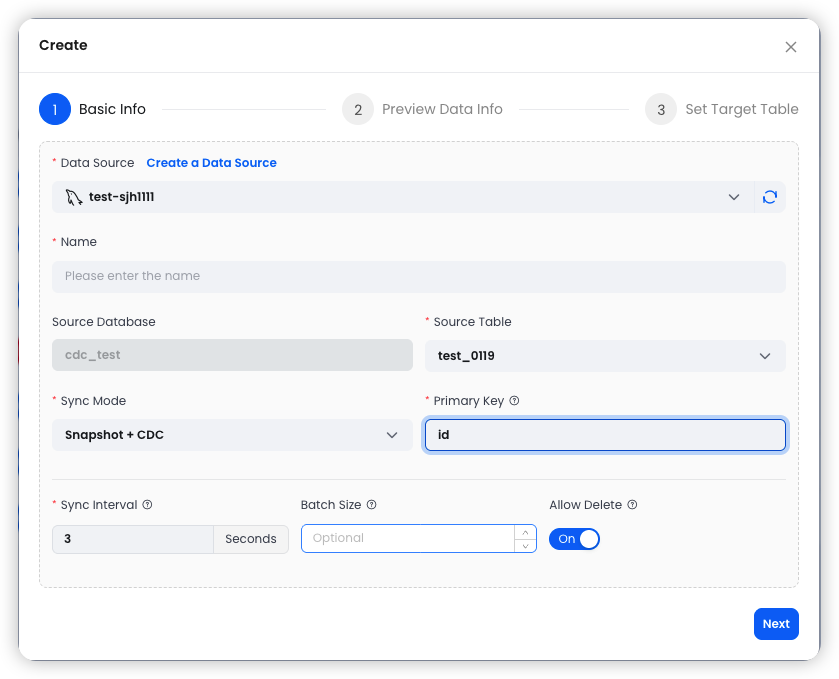
Step 1: Configure Basic Settings
Select an existing MySQL data source, specify the source table and sync mode, and configure parameters like Conflict Key (typically the primary key) and Merge Interval.
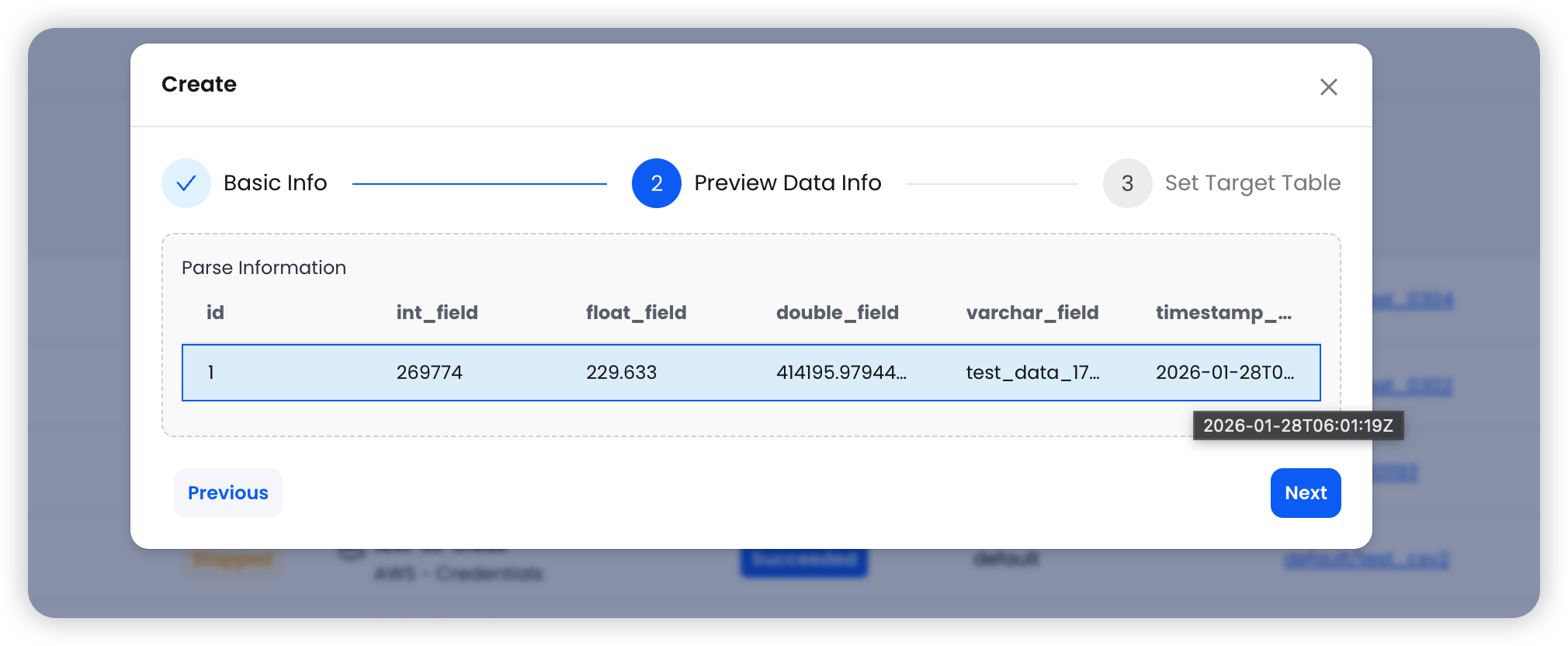
Step 2: Preview Data
The system automatically pulls sample data from the source table, displaying column names and data types for you to verify before proceeding.
Step 3: Set the Target Table
Choose the target Warehouse, database, and table name. The system handles schema mapping automatically.
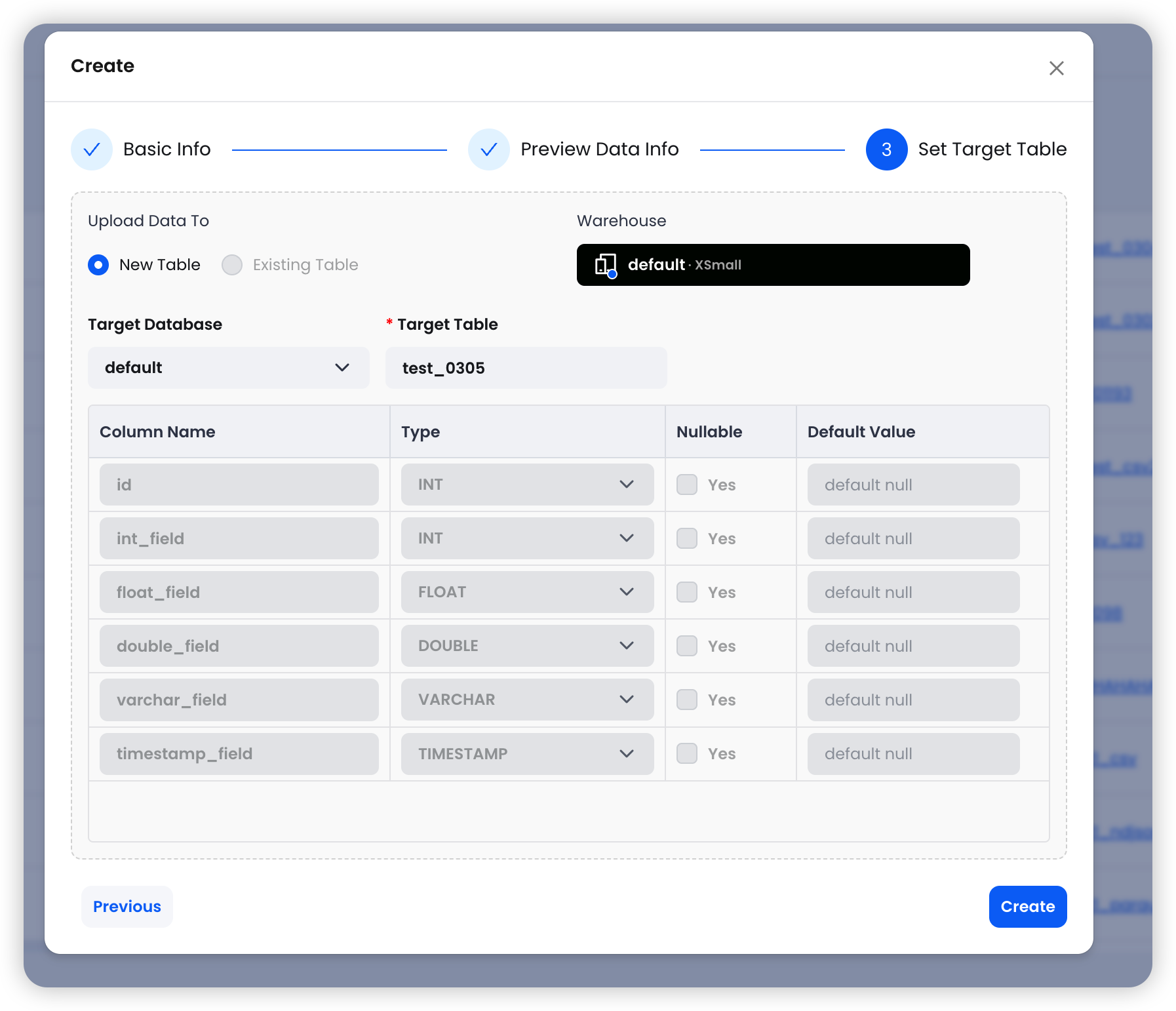
Click Create and you're done.
Advanced Capabilities
- WHERE Filtering: In Snapshot mode, you can use SQL WHERE clauses to load a subset of data (e.g., )created_at > '2024-01-01'
- Archive Schedule: Configure periodic snapshots using Cron expressions — daily, weekly, or monthly
- Allow Delete Control: Choose whether DELETE operations on the MySQL side are propagated to Databend. Turning this off preserves full history, which is ideal for audit use cases
- Resume from Checkpoint: When a CDC task stops, it automatically saves the Binlog position. On restart, it picks up right where it left off — no data loss
Amazon S3 Integration: The Easiest Way to Get Files into Your Warehouse
Object storage is the backbone of modern data lake architectures. With S3 integration, you can continuously ingest files from S3 into Databend without writing a single COPY INTO statement.
Supported File Formats
| Format | Details |
|---|---|
| CSV | Custom delimiters, header detection — the most universal data exchange format |
| Parquet | Columnar storage with excellent performance for analytical workloads |
| NDJSON | One JSON object per line — great for logs and event data |
Wildcard Matching
File paths support wildcard patterns for flexible multi-file matching:
s3://mybucket/data/2025-*.csv          # All CSV files starting with 2025-
s3://mybucket/logs/*.parquet           # All Parquet files in the logs directory
s3://mybucket/events/data.ndjson       # A specific single file
Same Three-Step Setup
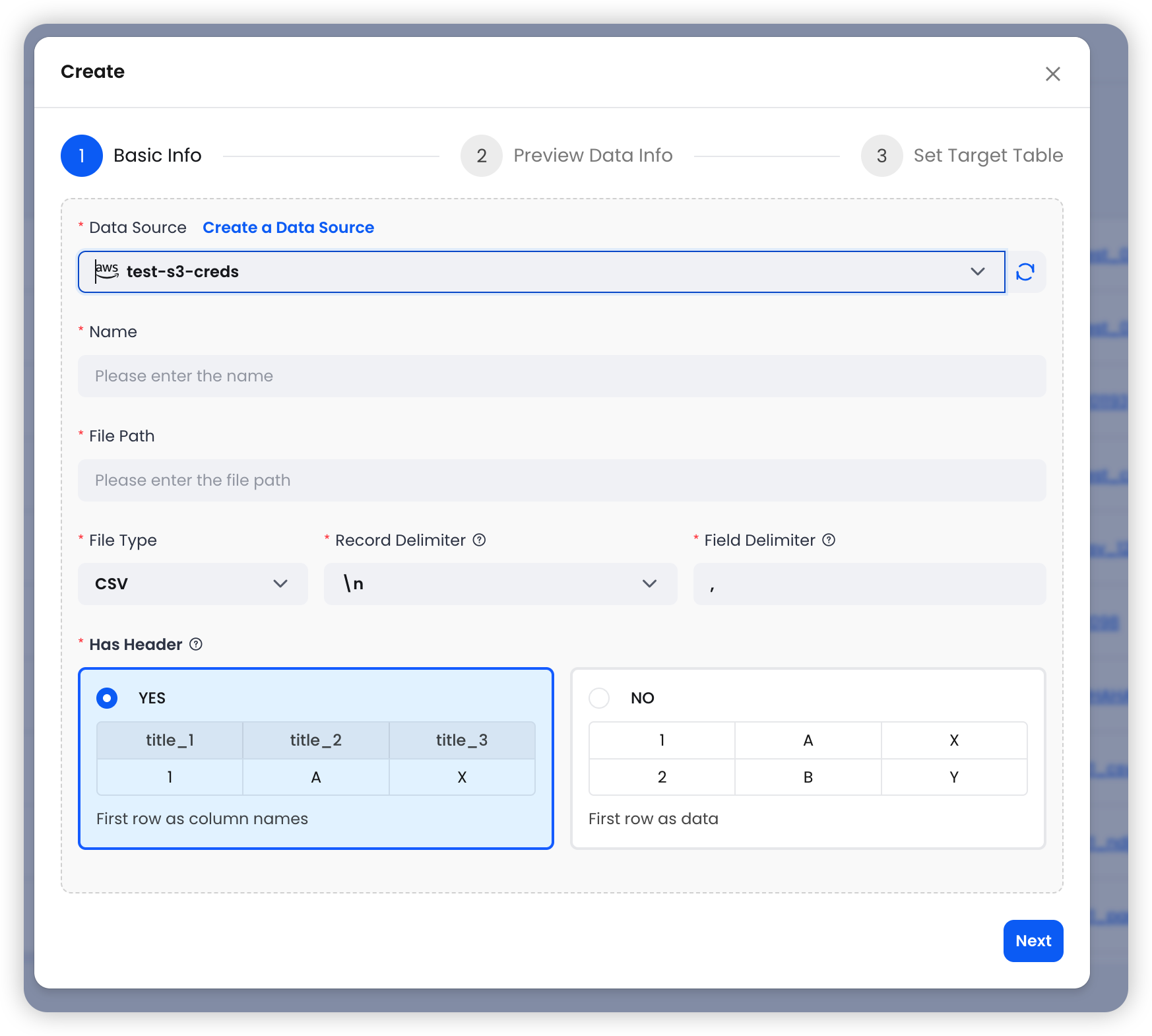
Step 1: Configure Basic Settings — Select an S3 data source and specify the file path and format.
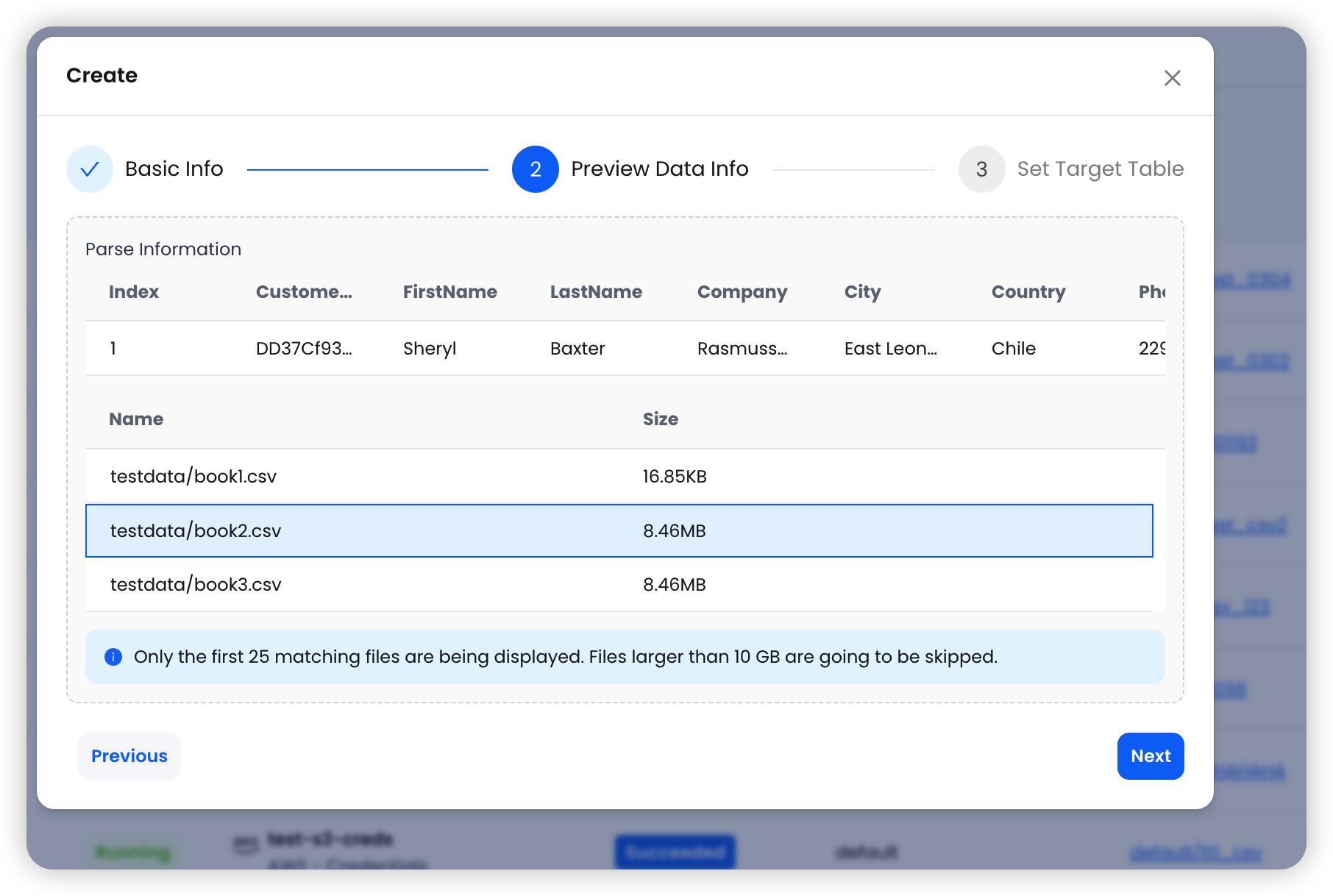
Step 2: Preview Data — The system reads the first matching file and displays sample data along with the list of matched files.
Step 3: Set the Target Table — Choose the target Warehouse and table, then configure import options.
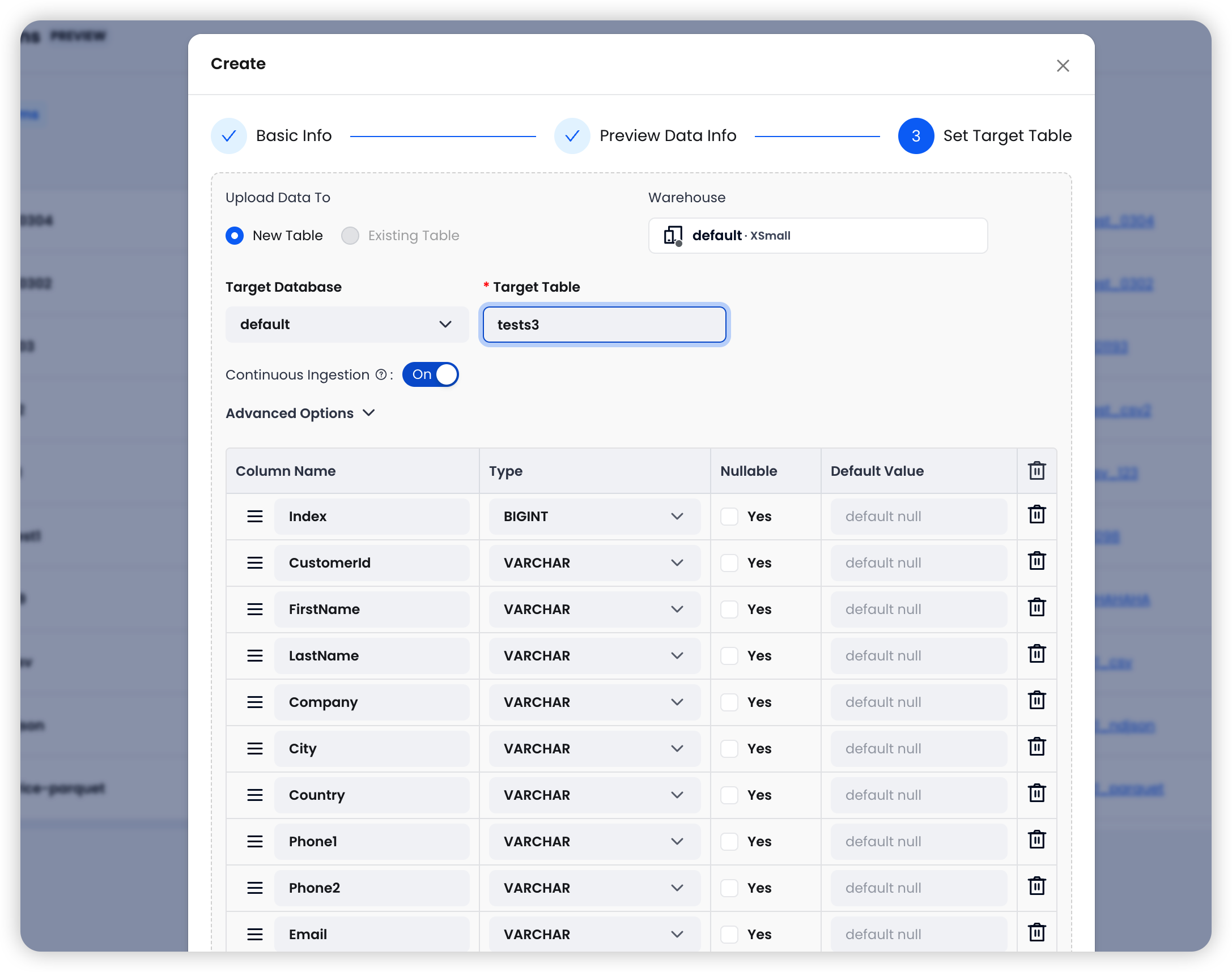
Four Import Options for Fine-Grained Control
| Option | Default | Description |
|---|---|---|
| Continuous Ingestion | On | Automatically polls the S3 path every 30 seconds and imports any new files |
| Error Handling | Abort | Abort: stop on error; Continue: skip bad rows and keep going |
| Clean Up Original Files | Off | Automatically deletes source files from S3 after successful import to save storage costs |
| Allow Duplicate Imports | Off | When enabled, allows re-importing previously processed files — useful for reloading data after schema changes |
Continuous Ingestion is especially powerful for pipelines where upstream systems continuously write to S3. Configure it once, and data flows into Databend automatically — no external scheduler needed.
Unified Task Management and Monitoring
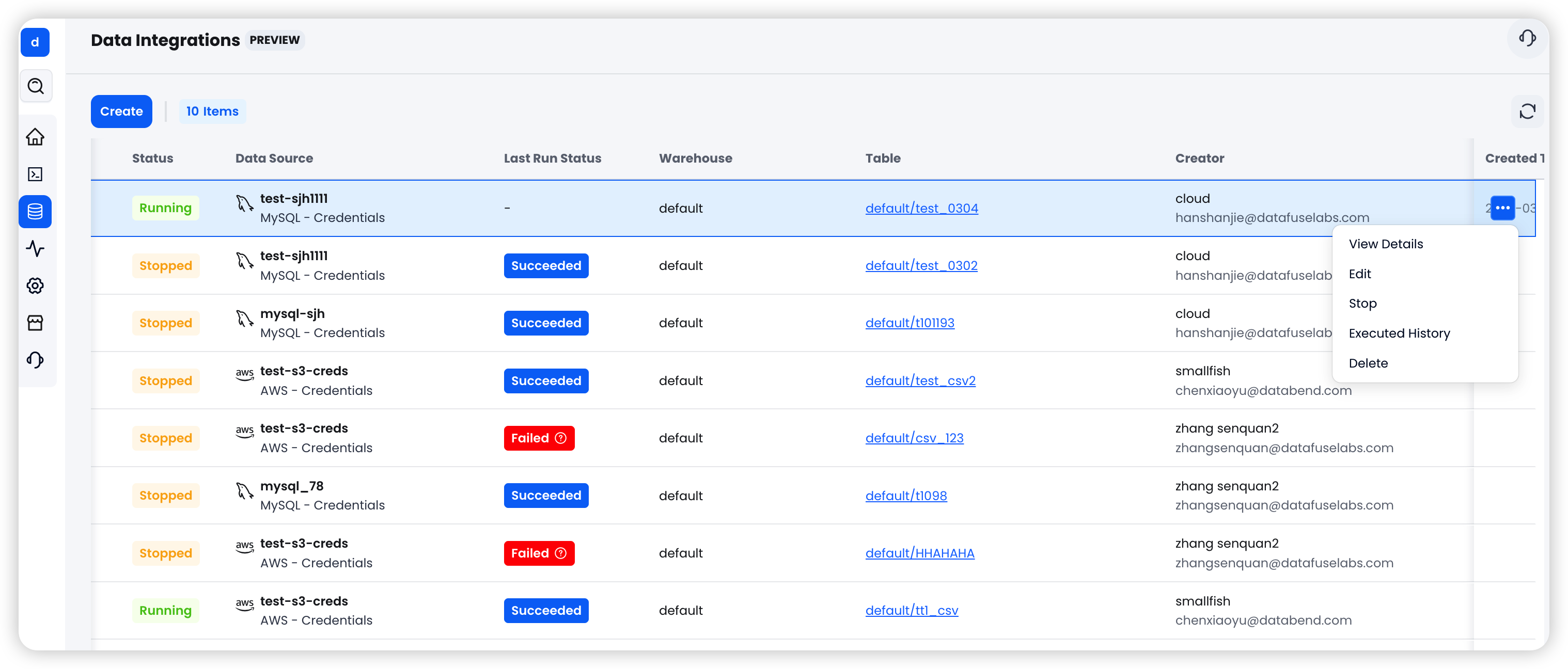
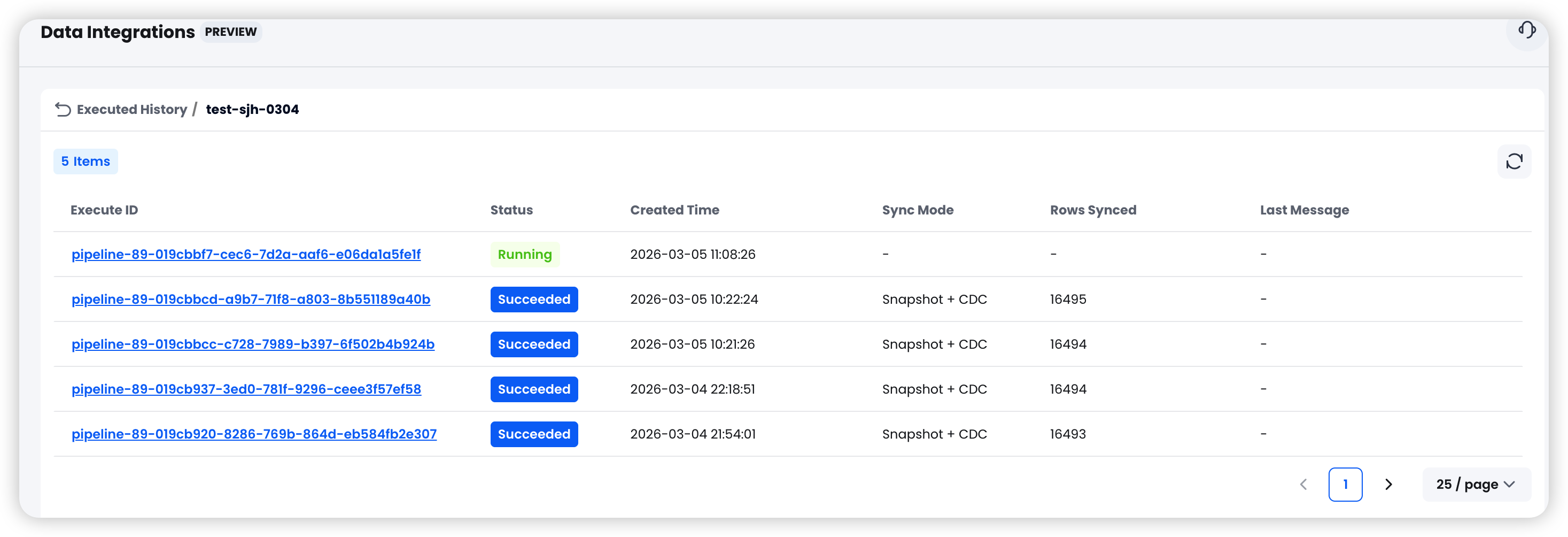
All integration tasks are managed from a single interface:
- Start / Stop: Tasks are created in a Stopped state by default. One click to start syncing
- Status Tracking: Clear visibility into Running / Stopped / Failed states
- Run History: View start and end times, rows synced, and error details for each execution
Common Use Cases
Real-Time MySQL to Databend for Analytics
An e-commerce platform stores orders and user data in MySQL, and the business team needs real-time dashboards and BI in Databend. Using Snapshot + CDC, historical data is fully synced first, then incremental changes are captured in real time — keeping the analytics layer consistently in sync with the source of truth.
Continuous S3 Log Ingestion
Application logs are written to S3 in NDJSON format on an ongoing basis. Enable Continuous Ingestion and Databend Cloud automatically scans for new files every 30 seconds. Pair it with Clean Up Original Files to auto-delete processed files, creating a fully automated log analytics pipeline.
Scheduled MySQL Data Archival
A finance system needs to archive transaction data on a monthly basis. Use Snapshot mode with Archive Schedule, set a monthly Cron expression, and specify a time column for partitioning — fully automated, hands-free data archival.
Getting Started
- Log in to Databend Cloud
- Go to Data > Data Sources and create your first data source
- Go to Data > Data Integration and create an integration task
- Click Start to begin syncing
The entire process requires zero code and zero external components.
Looking Ahead
Data Integration marks an important step forward for Databend Cloud's data ingestion story. Our goal is to free data engineers from the grind of building and maintaining ETL pipelines, so they can focus on what matters most — data analysis and business insights.
MySQL and Amazon S3 are supported today, with more sources (PostgreSQL, Kafka, and others) on the roadmap. If you have a specific data source in mind, we'd love to hear from you through the community.
Log in to Databend Cloud and try the new Data Integration feature today.
Video Tour
Learn more:
Use Data Integration on Databend Cloud to Sync MySQL Data
Get started in minutes with Databend Cloud—the agent-ready data warehouse for analytics, search, AI, and Python Sandbox—and receive $200 in free credits.
Subscribe to our newsletter
Stay informed on feature releases, product roadmap, support, and cloud offerings!