
 Jeremy
This post assumes basic familiarity with Python, object storage, and Airflow concepts such as DAGs, tasks, and connections.
The full example, including the startup script, DAG, sample data, and dependency list, is available in the GitHub repository: databendcloud/airflow-demo.
Why a Reliable Ingestion Pipeline Matters
At first glance, data ingestion sounds straightforward: take a file and load it into a table.
In production, the problem is rarely that simple. A real ingestion pipeline has to answer a longer list of questions:
-
Where does the file come from?
-
Where should the raw file be staged?
-
When should the load run?
-
What happens if upload succeeds but loading fails?
-
Can the pipeline be retried without creating duplicate rows?
-
Can the source file be traced, audited, or replayed later?
Running a script by hand works once. Running the same workflow every hour for a year requires a scheduler, explicit dependencies, retry behavior, and a storage layer that keeps the raw data recoverable.
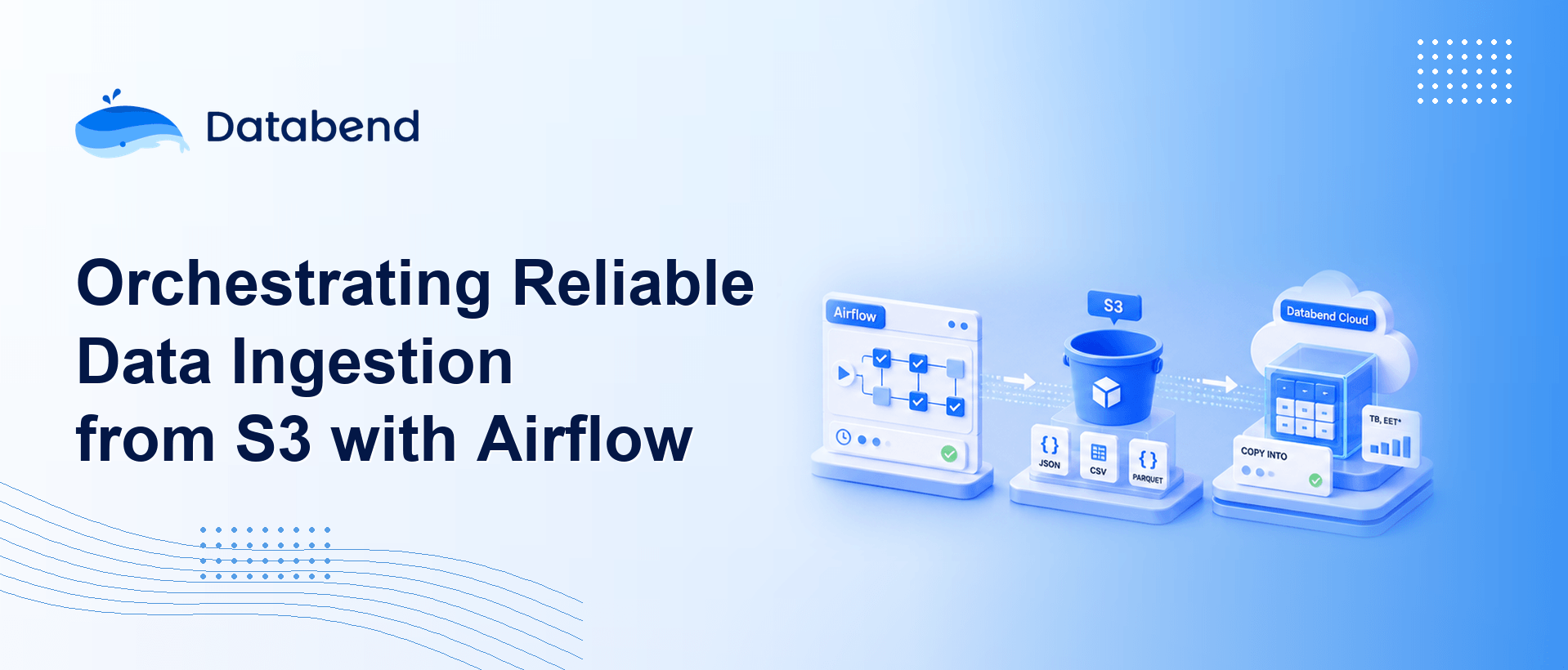
In this walkthrough, we will build a small but complete ingestion pipeline:
Local CSV / NDJSON
      |
      | Task 1: Upload file
      v
AWS S3 staging layer
      |
      | Task 2: COPY INTO
      v
Cloud data warehouse
We use Apache Airflow to orchestrate the workflow, AWS S3 as the staging layer, and Databend Cloud as the target warehouse. The same pattern applies broadly to file-based ingestion into object-store-native analytical systems.
The Responsibilities of Each Layer
Airflow: Workflow Orchestration as Code
Apache Airflow is an open-source platform for defining, scheduling, and monitoring workflows in Python. It is widely used in data engineering because it turns operational logic into version-controlled code.
The main concepts used in this example are:
-
DAG: A directed acyclic graph that defines the workflow and task dependencies.
-
Task: A single unit of execution inside a DAG.
-
Operator: A reusable task template, such as
orPythonOperator.LocalFilesystemToS3Operator -
Scheduler: The Airflow process that triggers DAG runs and decides task execution order.
-
Connection / Variable: Airflow mechanisms for storing credentials and runtime configuration.
Airflow is a good fit for this pipeline because the workflow crosses system boundaries. It has to upload a local file to S3, then ask the warehouse to load that file. Airflow gives us a single place to manage scheduling, dependencies, retries, and operational visibility.
The Warehouse: Object-Store-Native Loading
Databend is a Rust-based cloud data warehouse with a storage-compute separated architecture. In Databend Cloud, data is stored on object storage, while compute resources are provided by warehouses that can be started, scaled, and billed independently.
The key command for this pipeline is
COPY INTO
COPY INTO my_table
FROM 's3://my-bucket/path/to/file.ndjson'
CONNECTION = (
    ACCESS_KEY_ID = '...'
    SECRET_ACCESS_KEY = '...'
)
FILE_FORMAT = (TYPE = NDJSON);
For file-based ingestion, this is usually a better path than writing rows one by one from the application side. The raw file lands in S3 first, and the warehouse pulls it in using a bulk load path that is designed for object storage.
Databend also tracks loaded files for
COPY INTO
For semi-structured workloads such as logs, events, NDJSON payloads, or agent traces, this pattern can later be extended with
VARIANT
Architecture
The minimal pipeline has two tasks:
Local CSV / NDJSON
      |
      | Task 1: LocalFilesystemToS3Operator
      v
AWS S3 staging layer
      |
      | Task 2: PythonOperator -> COPY INTO
      v
Databend Cloud
The design is intentionally small:
-
Airflow orchestrates the cross-system workflow. It decides when to upload, when to load, and what to retry after failure.
-
S3 stores the raw file. This keeps a replayable copy of the input data for debugging, auditing, and backfills.
-
Databend Cloud handles ingestion and analytics. It loads files from object storage with
, then provides SQL querying and downstream processing.COPY INTO
In this demo, Airflow is the single scheduler. Databend does not run an additional Task to poll S3. That keeps the failure surface easier to reason about: if something goes wrong, the first place to inspect is Airflow.
In production, you may split responsibilities further. Airflow can remain responsible for cross-system orchestration, while Databend Streams and Tasks can handle in-warehouse incremental processing, cleaning, and materialized results.
Prerequisites
The demo uses Python 3.11 and a local virtual environment.
Dependencies:
apache-airflow>=2.7.0
apache-airflow-providers-amazon>=8.0.0
databend-driver>=0.20.0
Install Airflow with the official constraints file, then install the AWS provider and Databend Python driver:
python3.11 -m venv .venv
source .venv/bin/activate

pip install "apache-airflow==2.9.3" \
  --constraint "https://raw.githubusercontent.com/apache/airflow/constraints-2.9.3/constraints-3.11.txt"

pip install apache-airflow-providers-amazon databend-driver
Using Airflow constraints matters. Airflow has a large dependency tree, and installing without pinned constraints can easily produce incompatible package versions.
Prepare the Sample Data
The demo uses an NDJSON file at
data/sample.ndjson
{"id": 1, "name": "alice", "amount": 10.5}
{"id": 2, "name": "bob", "amount": 20.0}
{"id": 3, "name": "carol", "amount": 33.3}
Create the target table in Databend Cloud:
CREATE TABLE IF NOT EXISTS airflow_demo (
    id     INT,
    name   VARCHAR,
    amount DOUBLE
);
This example uses a fixed schema to keep the pipeline easy to follow. If your real data contains logs, events, or frequently changing JSON fields, consider landing the flexible part of the payload into a
VARIANT
Start Airflow Locally
The repository includes a
start_airflow.sh
#!/usr/bin/env bash
# Start Airflow in standalone mode, including the web UI and scheduler.
# On first startup, Airflow creates an admin user and prints the password.
set -euo pipefail

cd "$(dirname "$0")"

export AIRFLOW_HOME="$(pwd)/airflow_home"
export AIRFLOW__CORE__DAGS_FOLDER="$(pwd)/dags"
export AIRFLOW__CORE__LOAD_EXAMPLES=False

# Airflow standalone spawns child processes and resolves `airflow` from PATH.
# Put the virtualenv first so it does not accidentally use an older global install.
export VIRTUAL_ENV="$(pwd)/.venv"
export PATH="$(pwd)/.venv/bin:$PATH"

exec .venv/bin/airflow standalone
The important pieces are:
-
points to a project-localAIRFLOW_HOMEdirectory.airflow_home/
-
tells Airflow where to load DAG files from.AIRFLOW__CORE__DAGS_FOLDER
-
keeps the UI free of example DAGs.AIRFLOW__CORE__LOAD_EXAMPLES=False
-
is placed first in.venv/binso Airflow subprocesses use the local virtual environment.PATH
Start Airflow:
./start_airflow.sh
Airflow standalone mode starts the web server, scheduler, and triggerer together. On first run, it creates an admin user. The password is printed in the terminal and written to:
airflow_home/standalone_admin_password.txt
Open the Airflow UI:
http://localhost:8080
Build the DAG
The DAG is defined in
dags/csv_ndjson_to_databend.py
Parameters
At the top of the file, keep the main knobs in one place:
LOCAL_FILE_PATH = "/Users/hanshanjie/databend/airflow/data/sample.ndjson"
S3_KEY = "ingest/sample.ndjson"
TARGET_TABLE = "airflow_demo"
FILE_FORMAT = "NDJSON"  # or CSV
These values control the local input file, the S3 object key, the warehouse target table, and the file format.
Execute COPY INTO
The second task runs
COPY INTO
def copy_into_databend(**context) -> None:
    """Run COPY INTO in Databend Cloud and load the staged S3 file."""
    from databend_driver import BlockingDatabendClient

    dsn = Variable.get("databend_dsn")
    bucket = Variable.get("s3_bucket")
    aws_key = Variable.get("aws_access_key_id")
    aws_secret = Variable.get("aws_secret_access_key")

    if FILE_FORMAT.upper() == "CSV":
        file_format_clause = (
            "FILE_FORMAT = (TYPE = CSV SKIP_HEADER = 1 FIELD_DELIMITER = ',')"
        )
    else:
        file_format_clause = "FILE_FORMAT = (TYPE = NDJSON)"

    copy_sql = f"""
        COPY INTO {TARGET_TABLE}
        FROM 's3://{bucket}/{S3_KEY}'
        CONNECTION = (
            ACCESS_KEY_ID = '{aws_key}'
            SECRET_ACCESS_KEY = '{aws_secret}'
        )
        {file_format_clause}
        PURGE = FALSE
        ON_ERROR = ABORT
    """

    client = BlockingDatabendClient(dsn)
    conn = client.get_conn()
    rows = conn.exec(copy_sql)
    print(f"COPY INTO completed. Returned rows: {rows}")
A few details are worth calling out:
-
Credentials and runtime configuration are read from Airflow Variables instead of being hardcoded in the DAG.
-
The
clause is generated dynamically, so the same DAG can load CSV or NDJSON.FILE_FORMAT -
keeps the source object in S3 after loading. That makes replay, auditing, and backfills easier.PURGE = FALSE
-
fails the load on bad input instead of silently skipping problematic rows.ON_ERROR = ABORT
-
The
import happens inside the task function. This avoids loading the driver during Airflow's DAG parsing phase and keeps scheduler parsing lighter.databend-driver
For a demo, storing AWS keys in Airflow Variables is acceptable. For production, move storage credentials out of the SQL path and use a warehouse-side connection object, as discussed later.
Wire the Tasks Together
The DAG contains one upload task and one load task:
with DAG(
    dag_id="csv_ndjson_to_databend",
    schedule="@hourly",
    start_date=pendulum.datetime(2024, 1, 1, tz="UTC"),
    catchup=False,
    max_active_runs=1,
    tags=["databend", "s3", "ingest"],
) as dag:

    upload_to_s3 = LocalFilesystemToS3Operator(
        task_id="upload_to_s3",
        filename=LOCAL_FILE_PATH,
        dest_key=S3_KEY,
        dest_bucket="{{ var.value.s3_bucket }}",
        aws_conn_id="aws_default",
        replace=True,
    )

    copy_task = PythonOperator(
        task_id="copy_into_databend",
        python_callable=copy_into_databend,
    )

    upload_to_s3 >> copy_task
The configuration choices are deliberate:
-
runs the pipeline once per hour. Replace it with a cron expression if needed.schedule="@hourly"
-
prevents Airflow from backfilling historical schedule windows.catchup=False
-
avoids concurrent runs of the same DAG, which is useful for simple ingestion pipelines.max_active_runs=1
-
uses an Airflow Jinja template to read the bucket name at runtime.dest_bucket="{{ var.value.s3_bucket }}"
-
makes the dependency explicit: the load runs only after the upload succeeds.upload_to_s3 >> copy_task
Configure Airflow Connections and Variables
Before running the DAG, configure the AWS connection and runtime variables in the Airflow UI.
Connection
Go to
Admin -> Connections
aws_default
This connection stores the AWS credentials used by
LocalFilesystemToS3Operator
Variables
Go to
Admin -> Variables
s3_bucket
databend_dsn
aws_access_key_id
aws_secret_access_key
The variables mean:
-
: The staging bucket, for examples3_bucket.my-ingest-bucket
-
: The Databend Cloud connection string.databend_dsn
-
andaws_access_key_id: Used by the demoaws_secret_access_keystatement so Databend can read the S3 object.COPY INTO
The DSN can be copied from the Databend Cloud Connect page. It looks like this:
databend://<user>:<password>@<host>:443/<database>?sslmode=enable&warehouse=<wh>
Run and Verify the Pipeline
After the connection and variables are configured:
-
Open the
DAG in Airflow.csv_ndjson_to_databend -
Enable the DAG using the toggle in the top-right corner.
-
Click Trigger DAG to run it manually.
-
Open the Grid or Graph view.
-
Confirm that
succeeds first, followed byupload_to_s3.copy_into_databend -
Open the
task logs and check for thecopy_into_databendmessage.COPY INTO completed
Then query the target table in Databend Cloud:
SELECT * FROM airflow_demo;
You should see the three rows from
sample.ndjson
At this point, the end-to-end path is working:
Local file -> S3 staging -> Databend Cloud table
Airflow owns the workflow. S3 keeps the raw file. The warehouse owns the bulk load and query path.
Production Hardening
The demo keeps the moving parts small so the pipeline is easy to understand. Before using the pattern in production, harden the following areas.
Move Storage Credentials Out of the DAG
The demo reads AWS keys from Airflow Variables and injects them into the
COPY INTO
A better pattern is to create a connection object in Databend Cloud and reference that connection from SQL:
CREATE CONNECTION airflow_s3_conn
    STORAGE_TYPE = 's3'
    ACCESS_KEY_ID = '<your-access-key-id>'
    SECRET_ACCESS_KEY = '<your-secret-access-key>';

COPY INTO airflow_demo
FROM 's3://my-ingest-bucket/ingest/sample.ndjson'
CONNECTION = (CONNECTION_NAME = 'airflow_s3_conn')
FILE_FORMAT = (TYPE = NDJSON)
PURGE = FALSE
ON_ERROR = ABORT;
With this pattern, Airflow triggers the load but does not need to carry object storage credentials for the warehouse-side read.
Use a Secrets Backend
Avoid storing production secrets as plain Airflow Variables. Use an Airflow Secrets Backend such as AWS Secrets Manager or HashiCorp Vault. That gives you centralized storage, access control, and rotation.
Use Unique S3 Object Keys
If the same S3 key is overwritten with new content, you need to be very clear about how retry and deduplication should behave.
For production ingestion, prefer unique keys per batch or partition:
ingest/dt=2026-06-29/hour=10/sample.ndjson
Unique keys make lineage clearer and reduce ambiguity around retries, backfills, and duplicate prevention.
Add Retries and Alerts
For a real pipeline, configure task-level retry behavior:
-
retries
-
retry_delay
-
failure callbacks
-
email, Slack, or incident-management notifications
The goal is not only to retry transient failures, but also to make hard failures visible quickly.
Separate Cross-System Orchestration from In-Warehouse Processing
As the pipeline grows, avoid putting all transformation logic into Airflow. A useful split is:
Airflow cross-system orchestration
      |
S3 raw data
      |
Databend COPY INTO
      |
Databend Stream / Task for in-warehouse incremental processing
      |
BI / Search / AI workloads
Airflow is good at coordinating systems. The warehouse is better suited for SQL transformations, incremental aggregation, search, and analytical access over loaded data.
This distinction becomes more important for semi-structured workloads such as logs, events, and agent traces. You may ingest raw NDJSON first, store flexible fields in
VARIANT
Closing Thoughts
This pipeline is intentionally small, but it captures a useful production pattern:
-
Airflow handles scheduling, dependencies, retries, and visibility.
-
S3 keeps the raw data durable and replayable.
-
Databend Cloud loads data from object storage with
and provides the SQL analytics layer.COPY INTO
The value is not just moving a file into a table. The value is having a cloud-native ingestion skeleton that is easy to reason about, safe to rerun, and ready to extend.
From here, the same design can support larger data engineering workloads: event ingestion, log analytics, semi-structured JSON processing, incremental aggregation, and trace analysis for AI or agent systems.
For teams that want an object-store-first ingestion path without building and operating too much infrastructure around it, this Airflow + S3 + cloud warehouse pattern is a practical place to start.
Further Reading
Subscribe to our newsletter
Stay informed on feature releases, product roadmap, support, and cloud offerings!