
Native data lineage in Databend: Tracing metric sources and assessing change impact
 youngsofunSep 17, 2026View Markdown
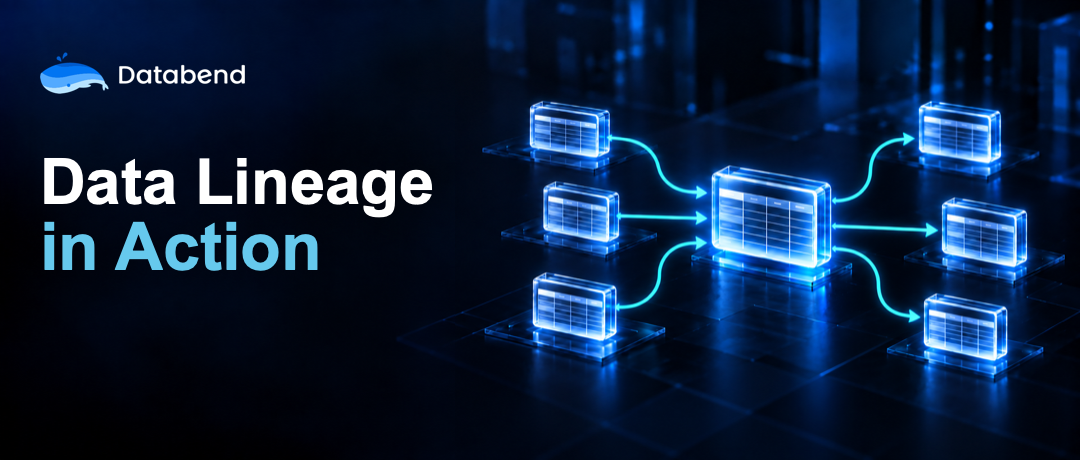
TL;DR: Available since Databend v1.2.935, Databend's native Data Lineage feature uses query plans to capture object-level and column-level dependencies directly inside the database. SQL queries and the Databend Cloud lineage graph provide two ways to inspect these relationships for change impact analysis, troubleshooting, data asset governance, and sensitive data tracking.
Following data dependencies
A schema change can affect downstream views, processing jobs, and reports. An unexpected metric may require tracing source data and transformation logic. Sensitive fields also need to be tracked as they move through a pipeline.
In a small environment, engineers can often answer these questions through experience, SQL searches, and manual investigation. As tables, views, stages, and pipelines form a larger dependency network, an inventory of objects alone is insufficient. Engineers also need to understand how data moves between them.
Data lineage describes that path through data creation, transformation, and consumption. Upstream lineage identifies an object's sources: a customer sales summary, for example, may depend on order details and a customer dimension table. Downstream lineage identifies where an object's data is used, such as the aggregate tables, views, and processing jobs that depend on an orders table.
Before changing a column type, dropping a column, modifying a schema, or restructuring a data model, downstream lineage helps identify the potential impact. It reduces manual dependency checks and the risk of reports or jobs failing after a change. When report values are incorrect, column-level lineage provides a path through source data, transformations, and downstream usage, narrowing the investigation compared with searching SQL and job logs individually.
What Databend records
Object and column dependencies
The lineage model contains tables, views, stages, and external catalog objects as nodes. Edges describe data writes and view-definition dependencies. Table-level lineage captures relationships between objects; column-level lineage maps source columns to the target columns they produce.
Column mappings cover aggregates, computed expressions, aliases, and nested queries. If several source columns contribute to a target column, each becomes an upstream dependency. These relationships can be followed through intermediate tables or views, as the customer segmentation example below illustrates.
Databend records two kinds of relationship:
-
Data Movement captures data written from one object to another through
,CREATE TABLE ... AS SELECT, multi-tableINSERT ... SELECT,INSERT,REPLACE, andMERGE.COPY -
View Lineage captures dependencies between a view definition and its source objects.
Streams, Stages, and external Catalogs
Reads through a Stream resolve to its underlying table in the lineage model. Stages participate in object-level lineage for data loaded into tables or unloaded from tables into a Stage. External Catalog objects can appear as endpoints connecting Databend objects with external data. Traversal stops at the external Catalog boundary.
A customer segmentation example
Enable lineage on a self-hosted deployment
Data Lineage is an enterprise feature. A self-hosted deployment requires an enterprise license. Add the following configuration to
databend-query.toml
[lineage]
on = true
Create the processing chain
The example uses three tables.
fact_orders
agg_customer_sales
customer_segments
CREATE OR REPLACE DATABASE lineage_demo;

CREATE OR REPLACE TABLE lineage_demo.fact_orders (
    order_id BIGINT,
    customer_id BIGINT,
    amount DECIMAL(12, 2),
    order_time TIMESTAMP
);

CREATE OR REPLACE TABLE lineage_demo.agg_customer_sales AS
SELECT
    customer_id,
    sum(amount) AS total_amount,
    count(*) AS order_count,
    max(order_time) AS last_order_time
FROM lineage_demo.fact_orders
GROUP BY customer_id;

CREATE OR REPLACE TABLE lineage_demo.customer_segments AS
SELECT
    customer_id,
    total_amount,
    order_count,
    if(total_amount >= 1000, 'high_value', 'standard') AS segment,
    now() AS updated_at
FROM lineage_demo.agg_customer_sales;
After a query succeeds, Databend asynchronously writes its lineage events to the built-in history table. Under normal operating conditions, new relationships are typically queryable and visible within seconds, without waiting for an hourly or daily offline scan.
Trace upstream objects
GET_LINEAGE
TABLE
VIEW
STAGE
COLUMN
UPSTREAM
DOWNSTREAM
The following query starts at the customer segmentation table and requests two hops of upstream lineage:
SELECT
    distance,
    source_object_database,
    source_object_name,
    target_object_database,
    target_object_name,
    process
FROM GET_LINEAGE(
    'lineage_demo.customer_segments',
    'TABLE',
    'UPSTREAM',
    2
)
ORDER BY distance;
distance = 1
distance = 2
process
Assess a column's downstream impact
For column-level analysis, supply the fully qualified column name and set the object type to
COLUMN
SELECT
    distance,
    source_object_name,
    source_column_name,
    target_object_name,
    target_column_name
FROM GET_LINEAGE(
    'lineage_demo.fact_orders.amount',
    'COLUMN',
    'DOWNSTREAM',
    5
)
ORDER BY distance, target_object_name, target_column_name;
This query identifies derived columns that may be affected by a change to
amount
How native collection resolves dependencies
Databend resolves these dependencies from actual query plans according to SQL semantics, including joins across multiple tables. Relationships retain query and execution context so engineers can inspect their origins, verify transformation logic, and investigate data problems.
For Data Movement involving native Databend tables in the
default
Backfill lineage for existing views
Views created after lineage is enabled have their dependencies recorded at creation time. For views that already exist, preview the changes with a dry run before refreshing:
REFRESH LINEAGE FOR ALL VIEWS DRY RUN;
REFRESH LINEAGE FOR ALL VIEWS;
REFRESH LINEAGE
default
SUPER
Inspect dependencies and query context in Databend Cloud
In Databend Cloud, open Database Explorer, select a table or view, and choose the Lineage tab. The feature is disabled by default; submit a support ticket to have Databend enable it.
Graph nodes represent tables or views, and edges show upstream and downstream relationships. Expand a node to inspect column dependencies. Clicking an edge between table nodes opens the query and execution context recorded when that relationship was created.
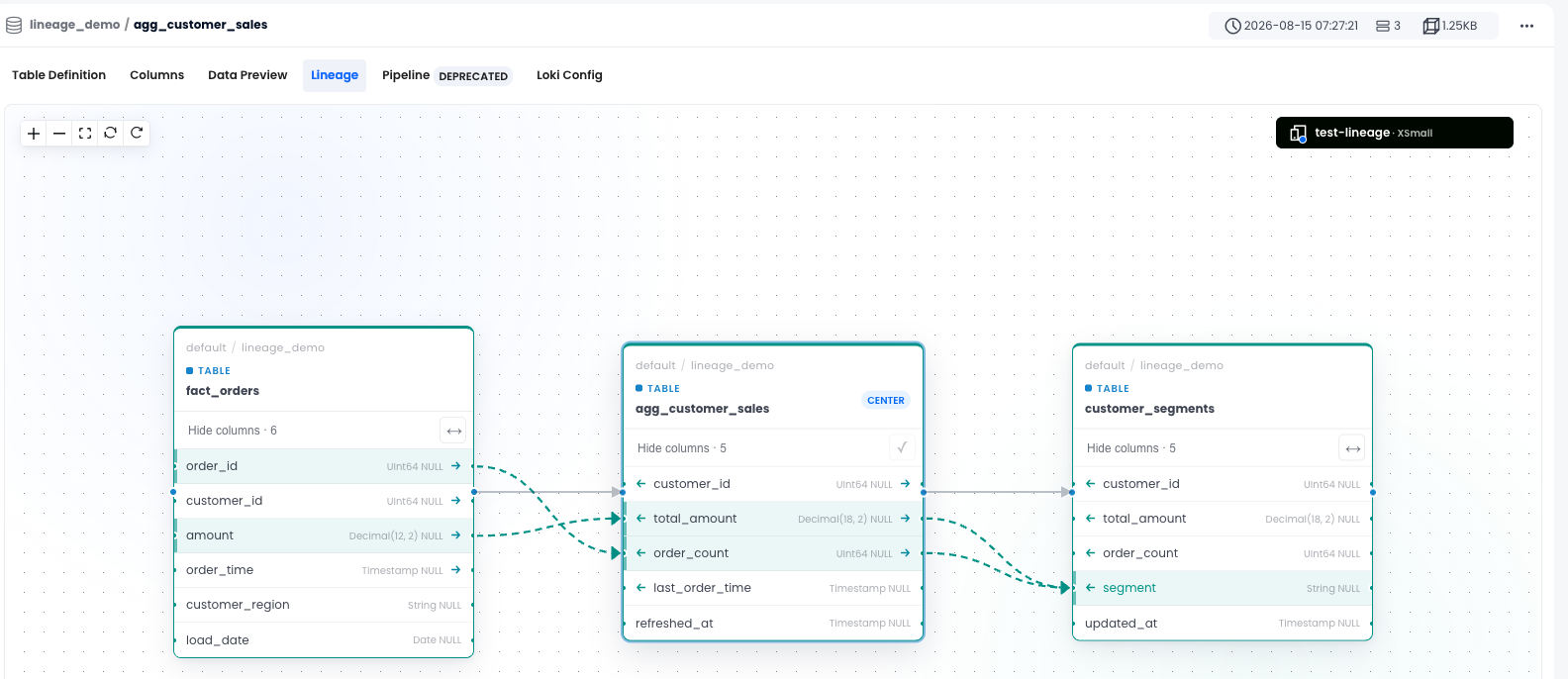
Column-level lineage also helps trace sensitive fields through transformations to their target columns. Combined with access controls and
Masking Policy
In environments with many tables and views, similar names can refer to data with different meanings. Lineage shows actual data flows, helping engineers identify important datasets, duplicate processing chains, and objects with no recorded downstream dependencies.
Using dependencies in everyday investigations
Databend combines table-level dependencies, column mappings, and execution context in its lineage query results. The same relationships support tracing metric sources, assessing schema changes, and reviewing how data is used across a processing chain.
For configuration and usage details, see the Databend Data Lineage documentation.
Subscribe to our newsletter
Stay informed on feature releases, product roadmap, support, and cloud offerings!